Cara Unduh di ANDROPORTS
Semua file di sini gratis. Sebelum menuju file, kamu akan melewati satu halaman perantara dari kami. Ini langkah-langkahnya, supaya tidak bingung.
Langkah demi langkah
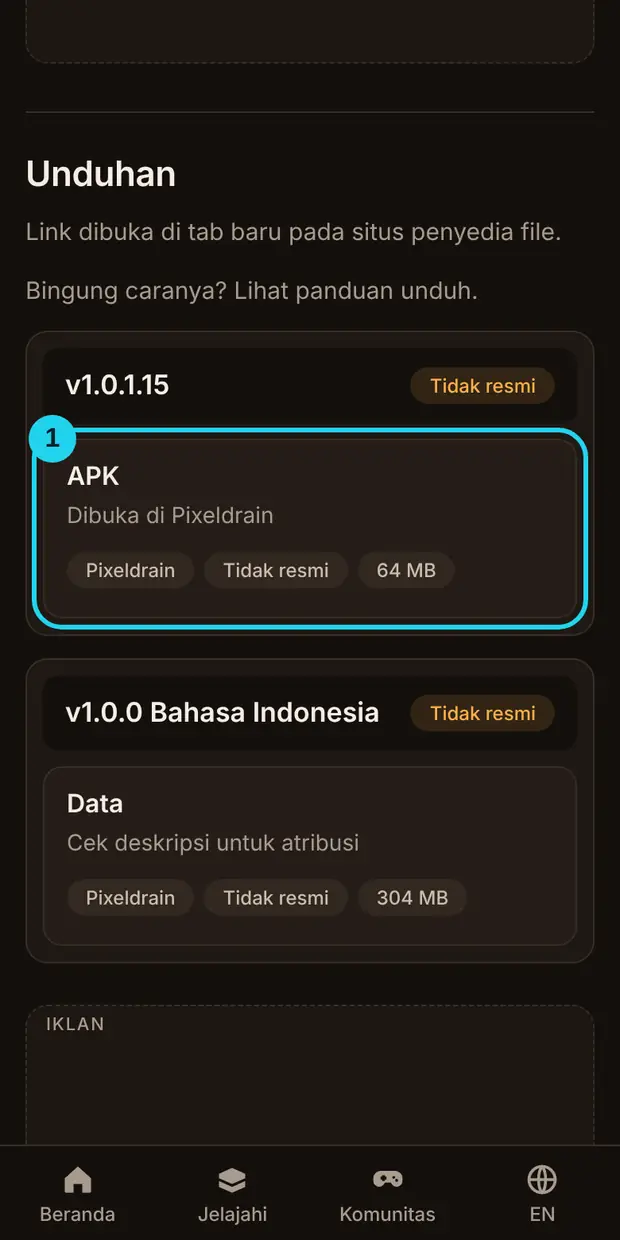
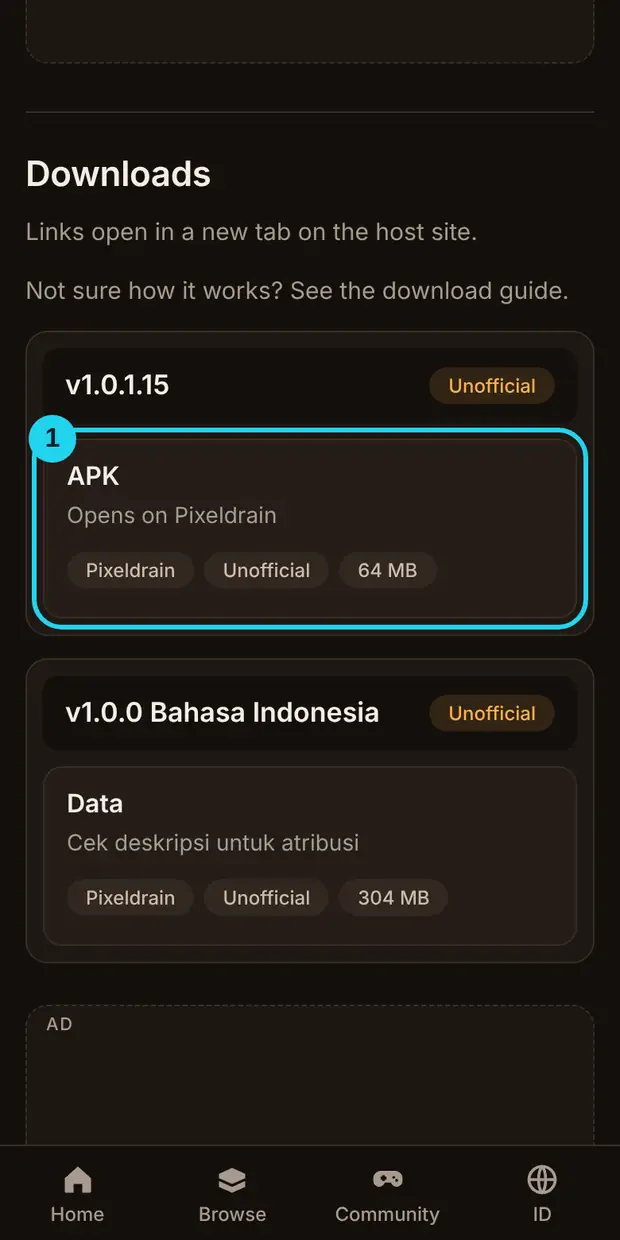
- Pilih file. Buka halaman game, lalu tekan salah satu link di bagian Unduhan.
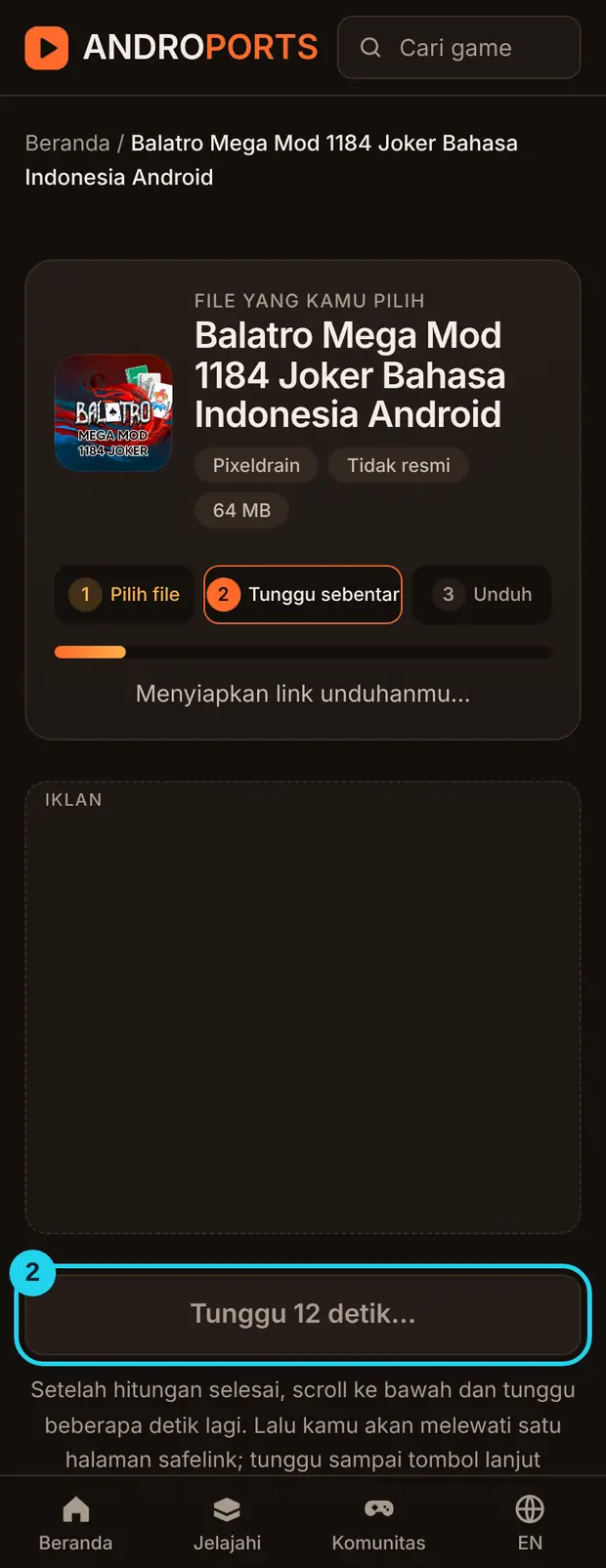
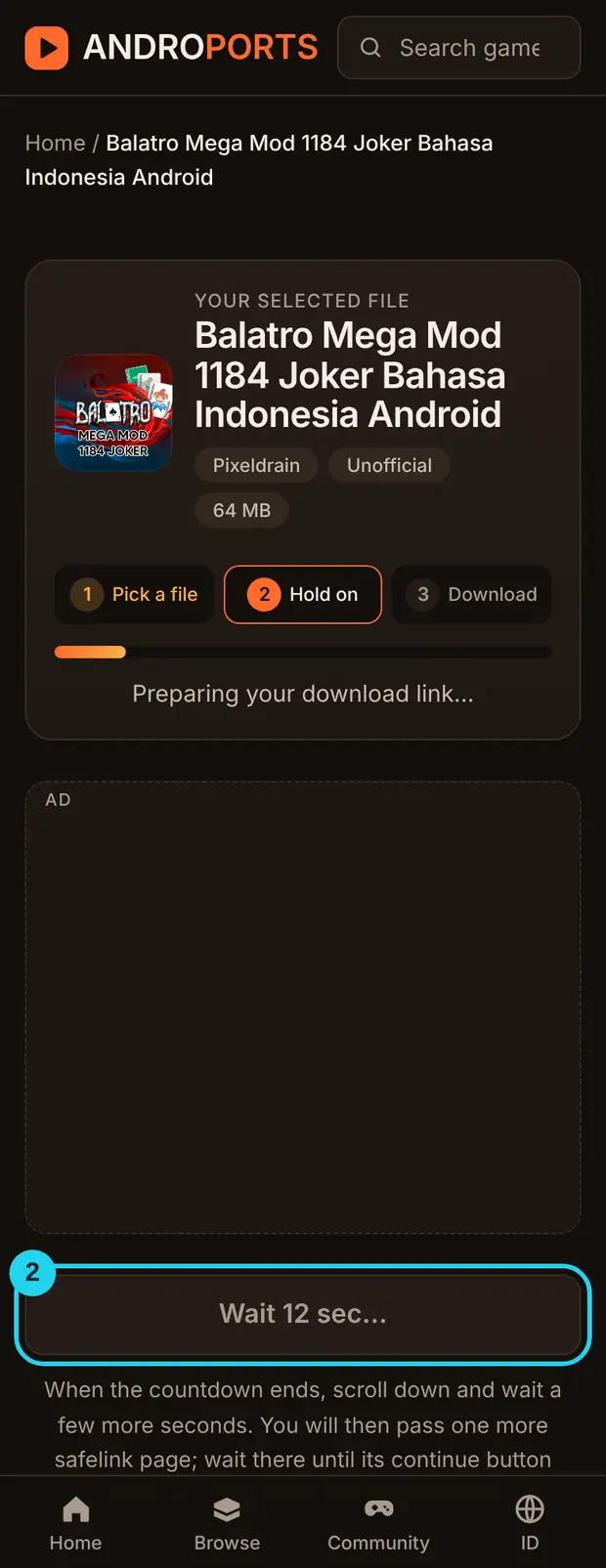
- Tunggu 15 detik. Kamu akan masuk ke halaman perantara. Biarkan tab tetap terbuka dan terlihat, karena hitungan berhenti kalau tab disembunyikan.
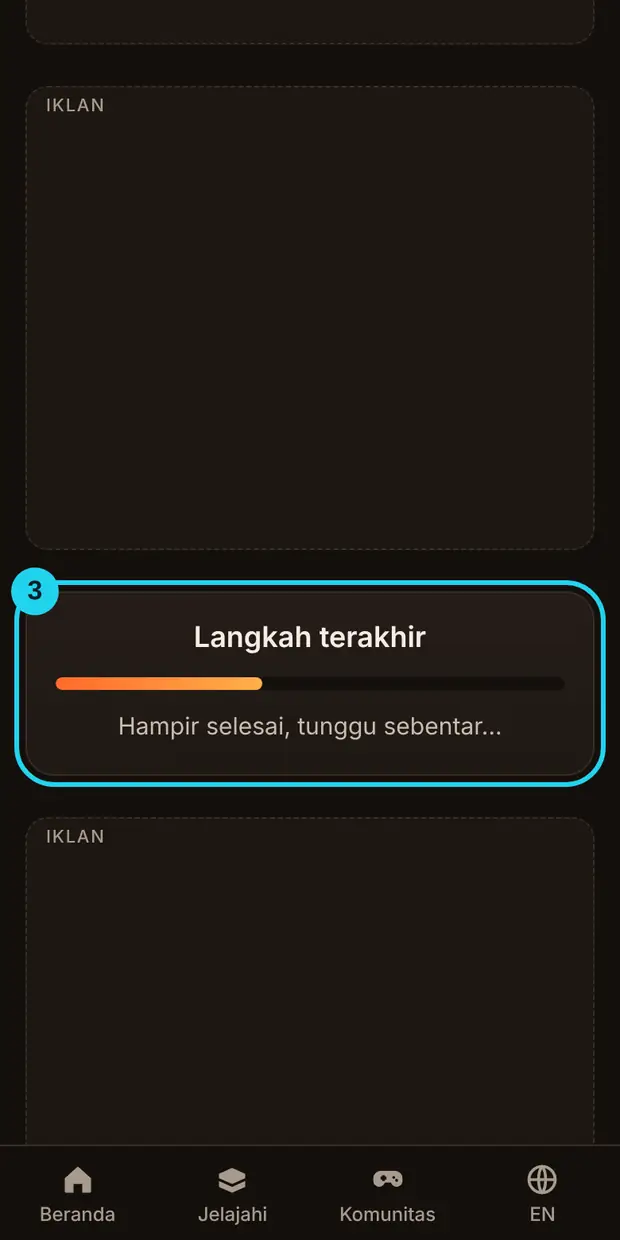
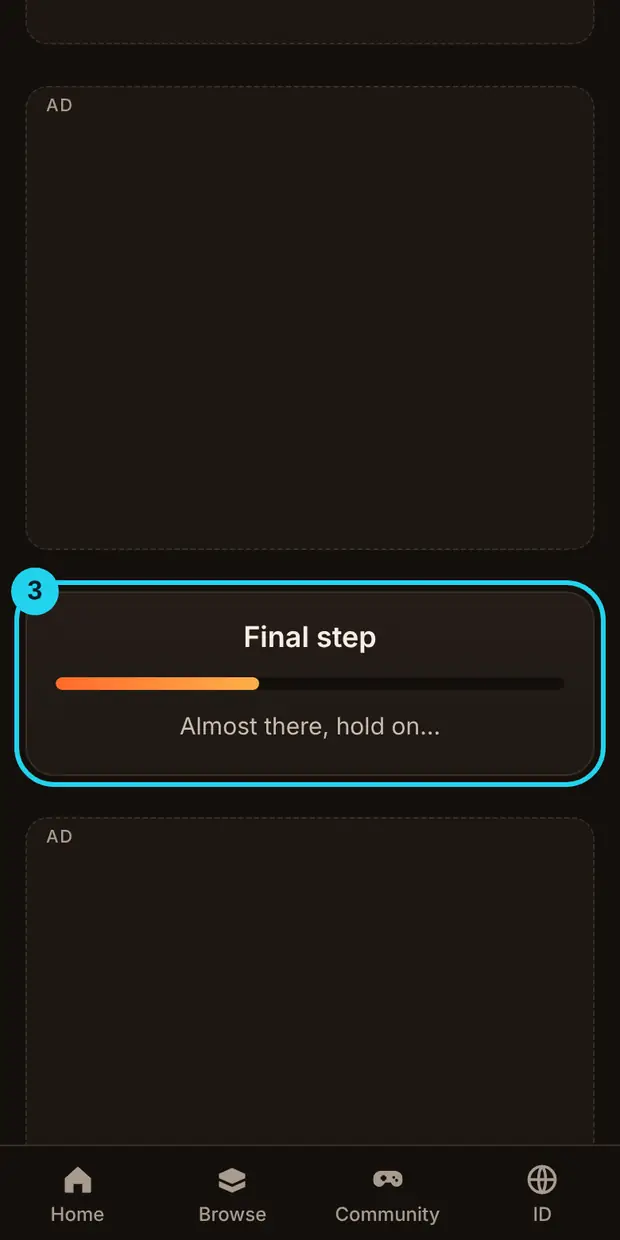
- Scroll ke bawah. Setelah hitungan selesai, tekan tombol Scroll ke bawah (atau gulir sendiri) sampai ke kartu Langkah terakhir, lalu tunggu 5 detik lagi.
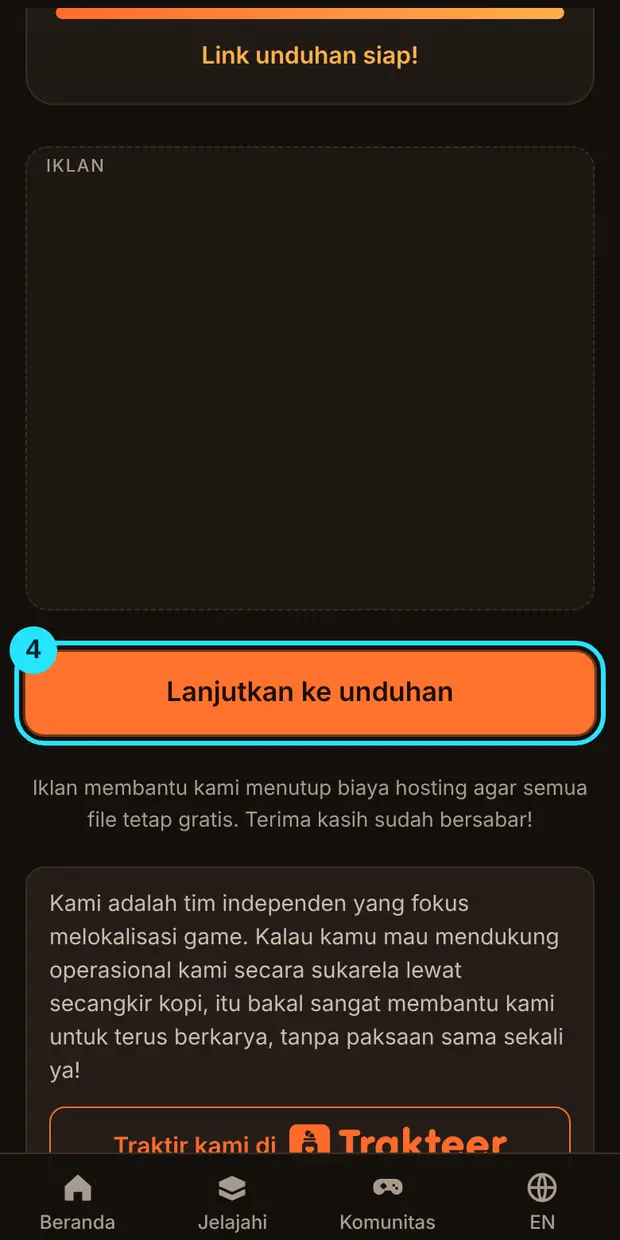
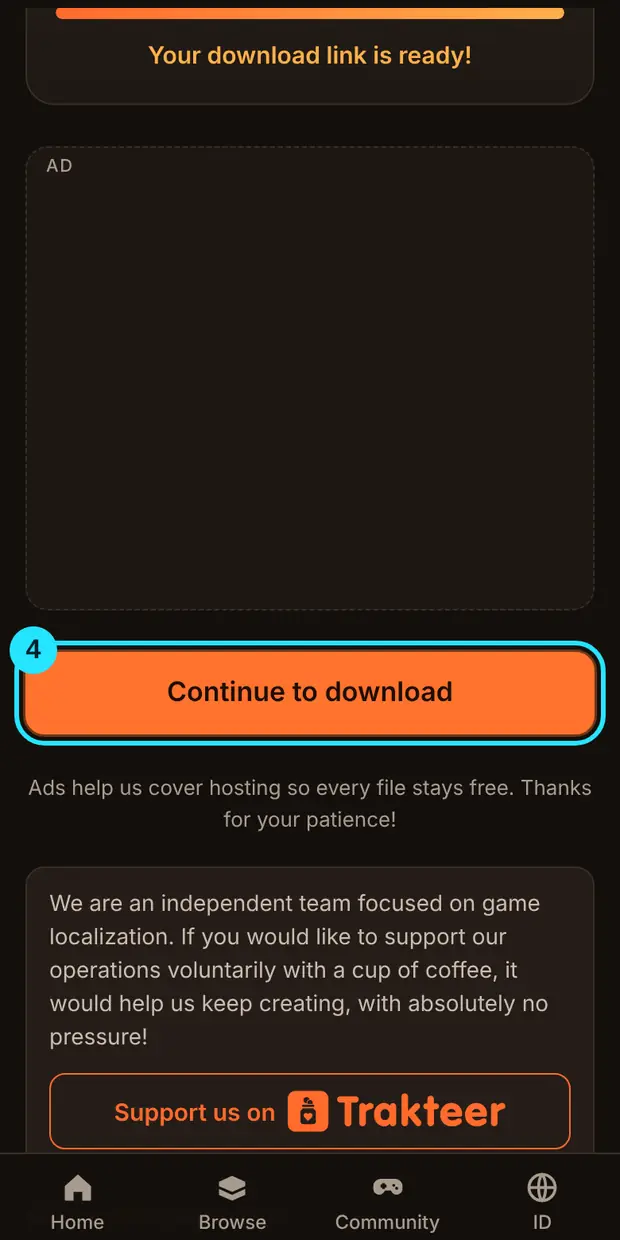
- Lanjutkan ke unduhan. Tekan tombol Lanjutkan ke unduhan. Kamu akan diarahkan ke safelink terakhir, tunggu sampai tombol lanjutnya muncul, lalu tekan untuk menuju file.
Kenapa ada tab iklan yang terbuka sendiri?
Kami tim kecil yang menerjemahkan game ke bahasa Indonesia, dan penghasilan kami hanya dari iklan. Saat kamu menekan tombol, satu tab iklan bisa terbuka. Tab itu aman untuk ditutup: tutup saja, lalu kembali ke tab unduhan, yang tetap berjalan seperti biasa.
Pertanyaan yang sering muncul
Tombolnya tidak mau aktif.
Pastikan tab terlihat di layar. Hitungan hanya berjalan saat tab aktif, dan hitungan kedua hanya berjalan saat kartu Langkah terakhir terlihat. Kalau kamu pindah ke aplikasi lain, hitungan berhenti sampai kamu kembali.
Muncul pesan AdBlock terdeteksi.
Matikan AdBlock (atau AdGuard) untuk situs ini, lalu muat ulang halaman. Cara cepatnya: klik ikon ekstensi di browser, pilih Pause untuk situs ini.
Iklan tidak muncul atau halaman macet.
Muat ulang halaman, atau coba browser lain. Pastikan koneksi internet stabil.
Link unduhan rusak atau sudah tidak ada.
Kirim nama game dan URL halamannya ke [email protected]. Kami akan memeriksanya secepat mungkin.
How to Download on ANDROPORTS
Every file here is free. Before you reach the file, you will pass one intermediate page from us. Here are the steps, so nothing is confusing.
Step by step
- Pick a file. Open the game page and press one of the links under Downloads.
- Wait 15 seconds. You will land on an intermediate page. Keep the tab open and visible, because the countdown pauses when the tab is hidden.
- Scroll down. When the countdown ends, press the Scroll down button (or scroll yourself) to the Final step card, then wait 5 more seconds.
- Continue to download. Press Continue to download. You will be sent to the last safelink; wait for its continue button to appear, then press it to reach the file.
Why did an ad tab open by itself?
We are a small team localizing games into Indonesian, and our only income is ads. When you press a button, an ad tab may open. It is safe to close: just close it and go back to the download tab, which keeps working as usual.
Common questions
The button will not activate.
Make sure the tab is visible on screen. The countdown only runs while the tab is active, and the second countdown only runs while the Final step card is on screen. If you switch to another app, it pauses until you come back.
I see an "AdBlock detected" message.
Turn off AdBlock (or AdGuard) for this site, then reload the page. Quick way: click the extension icon in your browser and choose Pause for this site.
Ads do not show or the page is stuck.
Reload the page or try another browser. Make sure your connection is stable.
The download link is broken or gone.
Email the game name and its page URL to [email protected]. We will check it as soon as we can.